Home
Products
GSM Gate Automation
GSM Alarm Diallers
Industrial Automation
Contact Us
4G Access Control - Adding a Tag with an Android Phone
What you’ll see in the video
Open the Priory Access app or Live Screen on your phone.
Tap
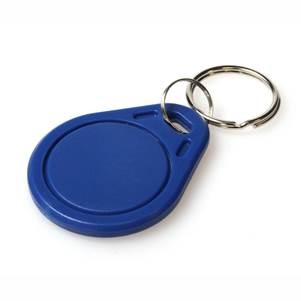
Add Tag
and scan with your phone’s NFC reader or paste a QR code.
Give the user a name and (optionally) choose a time window.
Save—access is live immediately.
Why it matters
Speed:
onboard users in under a minute.
Remote management:
add/remove users anywhere, anytime.
Flexible credentials:
NFC tags, QR codes, and keypad codes supported.
Other Relevant Articles
4G Access Control - Adding a Tag with an Android Phone
View
How to Install the IoT Portal App on an iPhone
View
View All Support Articles
Looking for help?
Need assistance with our products or services? Just click the button below and we'll be in touch as soon as possible.
Get in touch
Top Products
4G/4G+ GSM Door Entry/Gate Intercom & Dial-to-Open
4G/4G+ GSM Door Entry/Gate Intercom with Keypad & Dial-to-Open
ZR5 Complete Security System
Support
Help Centre
Contact Us
Distributors
Metalines
alarm-diallers.com
Holars AS
Visit our LinkedIn
Visit our YouTube channel
Terms & Conditions
Privacy Policy
Cookies
linkedin
facebook
pinterest
youtube
rss
twitter
instagram
facebook-blank
rss-blank
linkedin-blank
pinterest
youtube
twitter
instagram